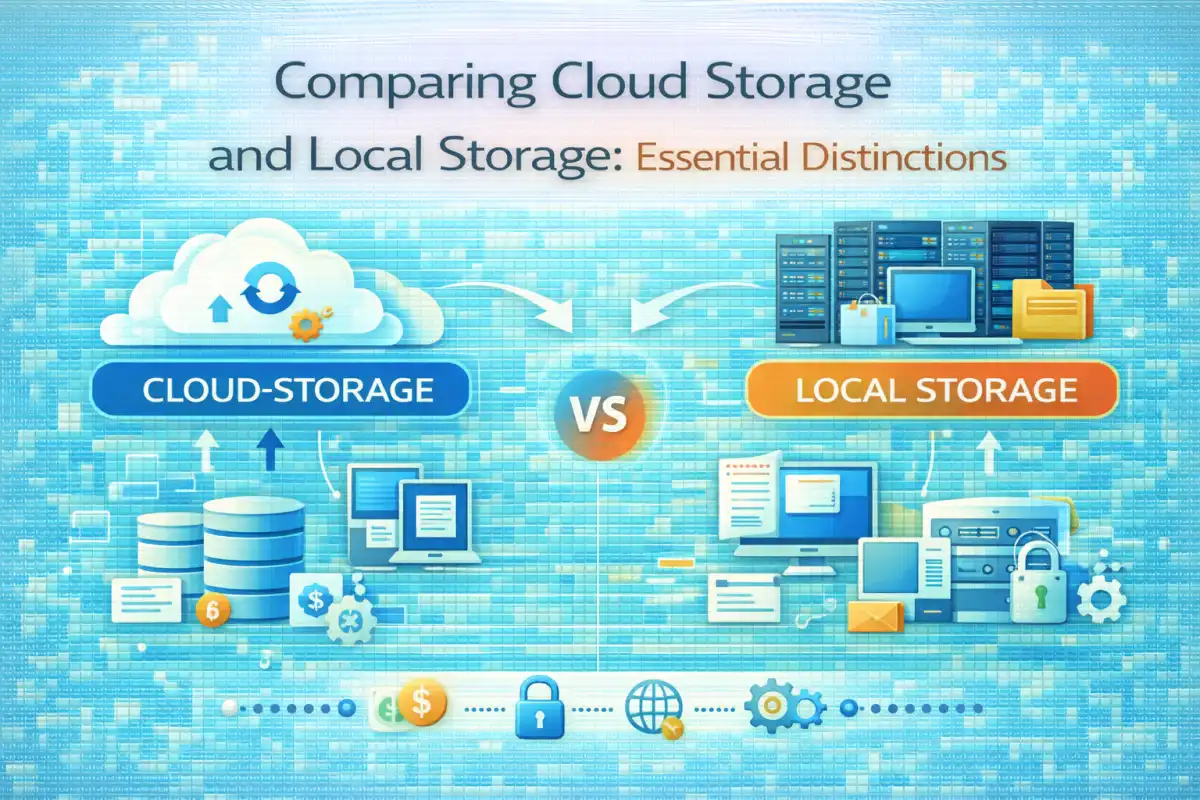
Comparing Cloud Storage and Local Storage: Essential Distinctions
Understanding Cloud Storage
Cloud storage refers to the practice of saving data on remote servers accessed via the internet. This method allows users to store files offsite, making them accessible from various devices. Providers manage these servers, ensuring that data is backed up and maintained. You can retrieve your files from anywhere, as long as you have internet access, making it a convenient option for many.
Popular services like Google Drive, Dropbox, and Microsoft OneDrive exemplify cloud storage. They offer various plans depending on the amount of storage you need. Users can easily share files with others, collaborate in real-time, and sync data across multiple devices. This flexibility is a significant draw for individuals and businesses alike.
Understanding Local Storage
Local storage, on the other hand, involves keeping data on physical devices such as hard drives, USB drives, or other storage media. This method requires users to manage their hardware and ensure its functionality. While local storage can be more secure in some respects, it also comes with limitations, such as accessibility and potential hardware failure.
Devices like external hard drives and solid-state drives (SSDs) are common forms of local storage. They allow for quick access to data without the need for an internet connection. However, if the device fails or is lost, the data may be irretrievable unless backed up elsewhere.
Key Differences Between Cloud Storage and Local Storage
One of the primary differences between these two storage types is accessibility. Cloud storage allows for access from anywhere with an internet connection, while local storage ties your data to specific devices. This can be a limitation if you need to work remotely or on the go.
Another distinction lies in management. Cloud storage providers handle maintenance, updates, and security measures on their end. In contrast, with local storage, users must take responsibility for these aspects, including regular backups and hardware upkeep.
Cost Comparison: Cloud Storage vs Local Storage
When it comes to cost, cloud storage typically operates on a subscription model, where users pay for the amount of storage they utilize. This can sometimes be more economical for smaller operations or individuals who need flexible options.
Local storage incurs upfront costs for purchasing the hardware. While this might be a one-time expense, maintenance and potential upgrades can add to long-term costs. In many cases, larger organizations may find that investing in local storage is more cost-effective over time, but it ultimately depends on specific needs and usage patterns.
Security and Data Protection
Security is a significant concern for both cloud and local storage. Cloud providers often implement advanced security measures, like encryption and multi-factor authentication, to protect user data. However, the risk of data breaches exists due to the internet-based nature of this storage type.
With local storage, data remains within the user's physical control, which can enhance security. However, it is still susceptible to loss from theft, damage, or hardware failures. Regular backups are essential to mitigate these risks.
Performance and Speed
The speed of data access can vary between cloud and local storage. Local storage generally provides faster access since files are stored on nearby devices. This is particularly advantageous when working with large files or applications requiring quick read/write speeds.
Cloud storage can experience latency due to internet speed and server responsiveness. However, advancements in cloud technology are narrowing this gap, making performance less of a differentiator than it once was.
Scalability and Flexibility
Cloud storage excels in scalability. Businesses can easily upgrade their storage plans as their needs grow without needing to invest in additional hardware. This flexibility is beneficial for companies experiencing rapid growth or fluctuating storage needs.
Local storage, while potentially less flexible, can still be expanded by adding new devices. However, this requires planning and investment in physical infrastructure, which can be less straightforward than upgrading a cloud plan.
Backup and Disaster Recovery
Both storage types must consider backup strategies. Cloud storage often includes automated backups and redundancy, meaning your data is saved across multiple locations to reduce the risk of loss. This feature can be a significant advantage for businesses worried about data availability.
Local storage requires proactive measures for backups. Users must regularly copy their data to alternate locations, such as other drives or cloud services. Failing to do so can lead to catastrophic data loss in the event of a device failure.
Use Cases for Cloud Storage
Cloud storage suits businesses that require collaboration and remote access. It is ideal for teams working from various locations or those needing to share large files easily. Freelancers and small businesses often benefit from its flexibility and scalability.
Additionally, cloud storage is great for users who prioritize ease of use and automatic updates. It can also be advantageous for those who may not have the technical expertise to manage local systems.
Use Cases for Local Storage
Local storage is better suited for users who prioritize speed and control. Media professionals, such as video editors and graphic designers, may prefer local storage to handle large files quickly.
Local storage is also beneficial for sensitive data that users prefer to keep off the internet. Organizations with strict compliance requirements may find local storage a more secure solution.
Hybrid Storage: Merging the Best of Both
Many organizations opt for a hybrid approach, using both cloud and local storage. This method allows them to enjoy the benefits of each type while mitigating their downsides. For example, critical data can be stored locally for quick access, while less sensitive information can be kept on the cloud for easy sharing.
This flexibility can enhance productivity and data protection, making it a popular choice among businesses today.
Cloud Storage and Compliance in Tier-1 Countries
As data regulations tighten, compliance is crucial for businesses, especially in tier-one countries. Cloud storage providers often have systems in place to ensure compliance with local laws, making it easier for organizations to navigate these complexities.
However, businesses must choose their cloud partners carefully, ensuring they meet required standards for data protection and privacy.
Which Is Better: Cloud Storage or Local Storage?
Determining which storage type is better depends on individual needs. Cloud storage offers convenience and scalability, while local storage provides speed and control. Organizations should evaluate their specific requirements, considering factors like data sensitivity, access needs, and budget.
Ultimately, the decision may not be black and white. A tailored approach that combines both could be the best solution for many users.
Future Trends in Data Storage
The landscape of data storage is evolving. Innovations in cloud technology are making it faster and more secure. As businesses increasingly adopt AI solutions, the demand for efficient storage solutions will rise.
Additionally, as more organizations recognize the benefits of hybrid models, the integration of different storage types will likely become the norm.
Conclusion
Understanding the differences between cloud storage and local storage is vital for making informed decisions. Each option has its strengths and weaknesses. By assessing your needs and considering future trends, you can choose the best storage solution for your situation.